
Evaluating Git AI
A step-by-step guide to running a proof of concept (PoC) for Git AI for Teams.
Most teams run a Git AI PoC in about three weeks. By the end you'll have org-wide AI attribution data and reports on adoption, spend, and ROI — plus visibility into where agent autonomy and token efficiency can improve.
Define success criteria upfront
- Git AI collects accurate attribution data without introducing friction into developers' workflows.
- The data is valuable. You can report on AI adoption, token usage, quality, and ROI metrics that matter to leadership.
- You can see where to improve. The data points you at agent autonomy, token efficiency, and code quality outliers worth digging into.
Who to involve
Line up these stakeholders before you start:
- IT — for MDM rollout in Phase 2
- Engineering leadership to define success criteria and consume reports
- GitHub / GitLab / Bitbucket admins to connect your SCM to the Git AI dashboard
- Infrastructure team to manage the deployment (if self-hosting)
Phase 0: Setup (1-2 days)
Connect your SCM
Connect GitHub, GitLab, or Bitbucket to your Git AI dashboard. Note: you will need to involve an admin with access to the SCM organization or group.
Steps:
- Open Settings > Connect SCM in the Git AI dashboard
- Select the SCM provider and authenticate
- Choose one or more organizations or groups to connect
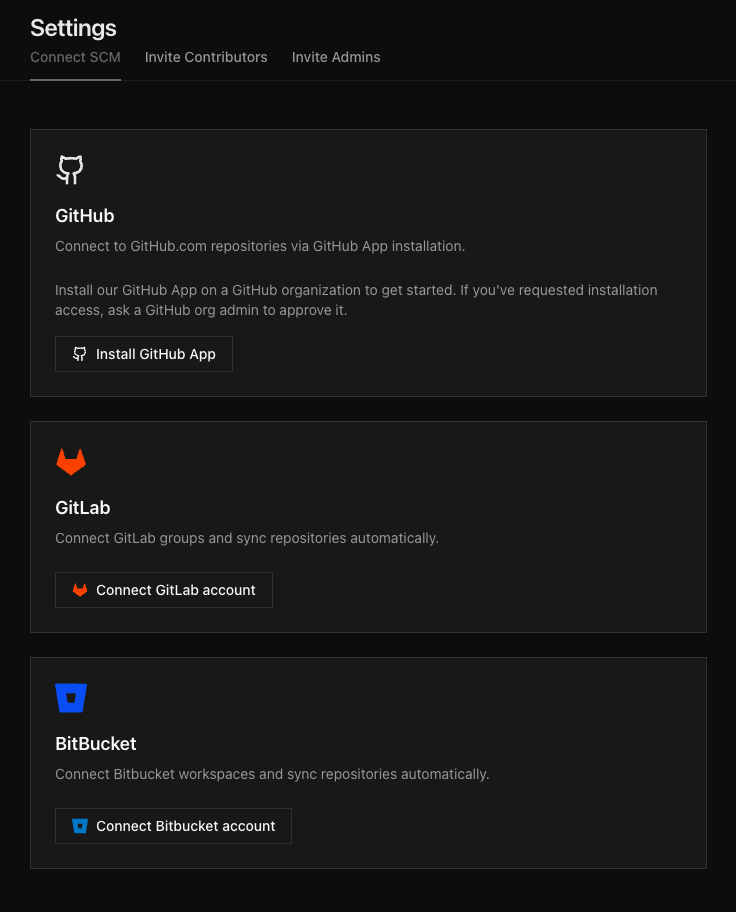
Once connected, Git AI begins processing authorship data for every repository in the organization. No per-repo configuration is required.
See the full Connect SCM guide for details on permissions, security, and troubleshooting.
Run an end-to-end test
Especially important for self-hosted customers — this confirms your SCM webhooks are deliverable.
- Create a test repo and confirm it is syncing to your Git AI dashboard.
- Generate AI code inside that repo, make a few manual edits, and then commit it.
- Open a Pull Request and verify the attribution data is accurate. New PRs can take up to 5 minutes to appear in the dashboard.

Generate your install link
Log in to the Git AI dashboard and open Settings > Install Client. This generates a permanent invite URL that can be shared in a document, email, Slack message, or any other channel.
When a developer opens the link:
- The developer authenticates with GitHub, GitLab, or Bitbucket
- Git AI verifies the developer is a member of the connected SCM organization
- A unique, one-time install command is generated for that developer
The install command configures Git AI and sets up agent hooks on the developer's machine. Once complete, telemetry from every supported coding agent begins flowing to the dashboard.

Phase 1: Small-cohort evaluation (week 1)
Pick 10-30 developers who are already using coding agents day-to-day. Create a Slack or Teams channel for the cohort to report issues in real time, and have a leader respond in it visibly. Silence after asking for feedback kills participation faster than anything else.
Brief the cohort
An engineering leader should kick off the PoC and explain why collecting AI attribution data is important for the team and how it will be used. Emphasize that the goal is to understand how the team is using AI today, identify quick wins to improve agent autonomy, make code more maintainable, and report on adoption and impact to leadership.
Ask the cohort to do three things
- Install manually using the org install link from your dashboard.
- Spot-check attribution accuracy. Keep
quietmode set tofalseso developers see the AI attribution graph after every commit. Encourage them to rungit ai dashto review their personal AI usage and quality metrics. - Report friction. Anything environment-specific — VMs, non-standard shell configs, security tools blocking agent hooks (e.g. Crowdstrike on Copilot), corporate proxies. Surface every edge case now, not during org-wide rollout.
After each commit, developers see something like:
you  ██░░░░░░░░░░░░░░░░░░░░░░░░░░░░░░░░░░░░░░ ai
     4%                                   96%
     100% AI code accepted
Setup MDM in parallel
Don't wait for Phase 1 to wrap before starting MDM packaging — by the time the cohort is done, you want installers tested and staged so Phase 2 can begin immediately.
While the cohort runs, IT should:
- Package the installer for your MDM tool (Jamf, Intune, Workspace ONE, Kandji, etc.).
- Test on 2-3 representative machines covering each OS, hardware tier, and security baseline in your fleet.
- Validate against your security stack — endpoint protection, proxies, and any controls that might block agent hooks.
See the MDM rollout guide for installer specifics.
Exit criteria for Phase 1
- Attribution data looks accurate when developers spot-check it.
- Environment-specific issues are documented and resolved.
- IT has MDM installers staged and ready for the org-wide rollout.
Phase 2: Staged rollout (weeks 2-3)
Ship to the rest of engineering using your MDM tooling. See the MDM rollout guide for installer specifics.
Sequence depth-first, not breadth-first. Roll out to entire teams working on the same repositories, product lines, or departments at once. Each leader gets actionable data faster than if you spread thinly across the org. Once the first wave is in, expand outward.
Exit criteria for Phase 2
- Every engineer in scope has Git AI installed.
- Any gaps in coverage are understood and resolved (e.g. a team that uses VMs needs a different installer configuration, or a security tool is blocking agent hooks for a subset of users).
Report Back
By the end of a successful PoC, you will have:
- The metrics leadership cares about — AI adoption, token spend, code quality, and ROI — tracked over time by team, repo, and individual contributor.
- A proven system for AI attribution — every line of AI-generated code linked back to the Agent Sessions that generated it.
- A repeatable system for surfacing friction in agent sessions and driving continuous improvement in agent autonomy and token efficiency.
The reports are already built
You don't have to assemble anything. Every organization starts with pre-built dashboards covering adoption, the generated-to-production code lifecycle, agent and token spend, and attribution — plus per-contributor, pull request, and live views. Point leadership at the org-wide report and the numbers are there.
Pull the metrics that matter from the Git AI dashboard. If your org runs everything through a data warehouse or BI tool, set up data exporting to feed Git AI metrics into your existing developer-productivity dashboards.
Identify opportunities for quick wins
Attribution data is the input to a longer-running improvement loop. The PoC gets the data flowing; the wins accumulate as teams work the data over the following months. Once the dashboards are populated, these are the threads worth pulling:
- Agent autonomy outliers. Are there repositories with much higher agent autonomy? What makes them different — better tests, cleaner abstractions, an AGENTS.md file?
- Token efficiency outliers. Which teams have the highest ratio of generated to production code? What are they doing differently?
- Agent sessions. Where are agents getting stuck? Where would additional steering or context help?
Some teams spot an obvious fix in week three. Most find that the real value shows up once there's enough history to compare teams and track a change over time — so treat this as the start of the loop, not a box to check before the PoC ends.